About the EnduraDocs Software
- About our solution for long-lasting, paper-free documentation with guaranteed accessibility online and offline.
- About the EnduraDocs Manager and other parts of the EnduraDocs Software.
- About our payment plans and add-ons.
- About user roles in the EnduraDocs Manager.
EnduraDocs Software enables you to store and deliver your documentation in a digital form, eliminating expensive printing costs. Our decentralized data storage (IPFS) and web application give you complete control over your documentation files while generating sufficient redundancy to guarantee constant availability at minimal cost. Thus, our solution meets regulatory standards and allows you to replace print processes securely and cost-effectively.
EnduraDocs Manager
The EnduraDocs Manager is at the center of the EnduraDocs Software. Here, you manage your uploaded documentation files, users, settings, and sharing options. The functional areas of the EnduraDocs Manager include the Product Explorer, where you manage products that represent real-life devices from your portfolio, the workspace settings, and the Portal Explorer, if your payment plan includes Documentation Portals. Additionally, the EnduraDocs Manager implements a review process and access control that gives you complete control over which documentation files can be accessed by the operating personnel.
Delivery System
The delivery system of the EnduraDocs Software makes your documentation files available long-term and reliably to the operating personnel. It consists of the EnduraDocs Viewer or Documentation Portal. Here, the operating personnel can access and search for documentation of your devices online and offline. To provide access to the documentation on a specific product or set of products, you can share a link or QR code. The latter can be printed on your device for easy and direct access to the documentation.
Payment Plans
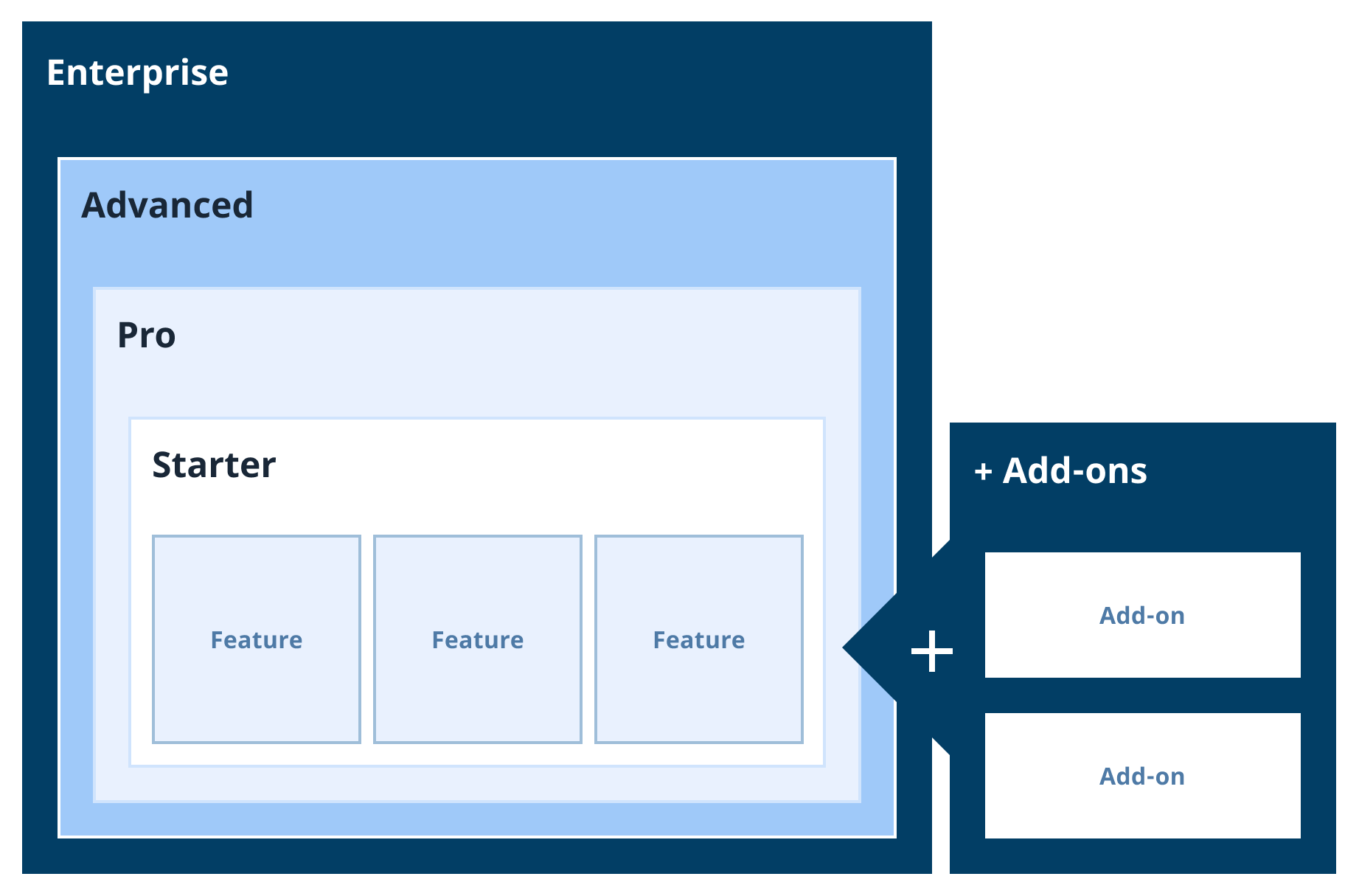
- Starter
- This payment plan allows you to use the main features of the EnduraDocs Software, including the EnduraDocs Manager and EnduraDocs Viewer. However, the number of users in your workspace is limited to 10, and your data storage to 250 GB. The Starter plan does not include a Documentation Portal.
- Pro
- This payment plan allows you to use all features of the EnduraDocs Software (EnduraDocs Manager, EnduraDocs Viewer, and Documentation Portal). However, the number of users in your workspace is limited to 50, the number of Documentation Portals to 1, and your data storage to 500 GB.
- Advanced
- This payment plan allows you to use all features of the EnduraDocs Software (EnduraDocs Manager, EnduraDocs Viewer, and Documentation Portal). The Advanced payment plan provides unlimited users and portals for your workspace. However, your data storage is limited to 1000 GB.
- Enterprise
- This payment plan allows you to use all features of the EnduraDocs Software (EnduraDocs Manager, EnduraDocs Viewer, and Documentation Portal). The Advanced payment plan provides unlimited users and portals for the workspace. You can adjust the data storage and other features to your liking.
You can also modify your payment plan with additional features like access control for your EnduraDocs Viewer or Documentation Portal, or an increased number of users or Documentation Portal than your plan includes, without changing the payment plan of your workspace. For more information, contact our sales team.
User Roles
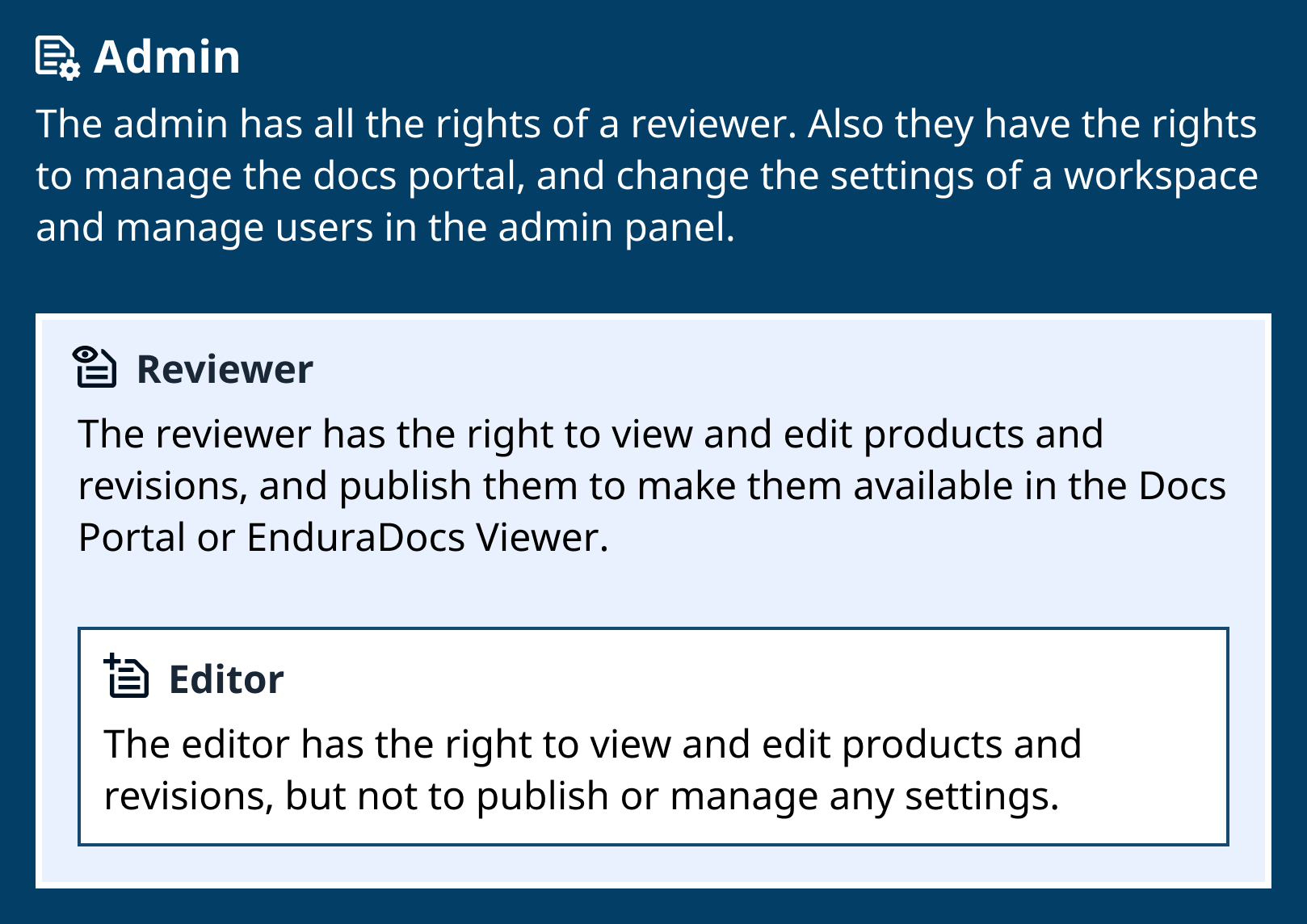
- Editor
- Most basic user role. The user has the right to view and edit products and revisions.
- Reviewer
- User role with more responsibility. The user has all the rights of an Editor. Additionally, they can accept, reject, and publish revisions, progressing the revision workflow, and manage Documentation Portals in the Portal Explorer.
- Admin
- User role with complete control of the workspace. The user has all the rights of a Reviewer. Additionally, they can access the Admin Panel to change the workspace settings or manage users and themes. Workspaces must have at least one Admin.
User roles are organized in a hierarchy, where higher roles inherit all permissions of lower roles. User roles are workspace-specific. This means the same user can be added to multiple workspaces with a different user role, respectively.