Select Available Languages
Roles: Editor, Reviewer, Admin Plans: Starter, Pro, Advanced, Enterprise
About this task
Determine the available language choices in your revision. Only languages or language variants that you select during this step will be displayed later in your revision as possible localizations to assign files to.Instructions
-
 Click "+ Revision" under "Create Revision Manually"
You are transferred to the language selection of the new revision.
Click "+ Revision" under "Create Revision Manually"
You are transferred to the language selection of the new revision. -
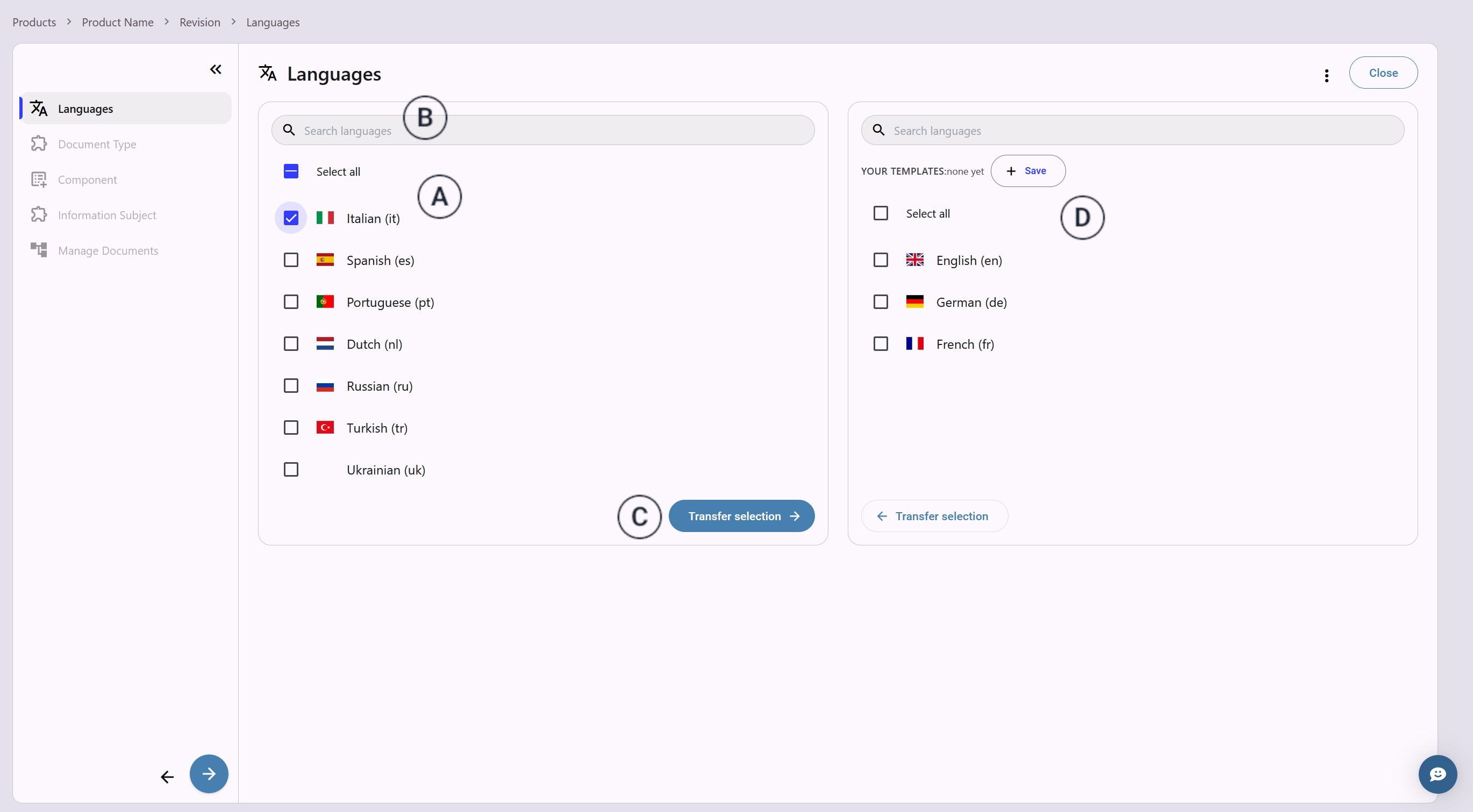
Select the languages in which your documentation is translated in the
left languages list
 .
.
 Use the search bar
  to search for language subtypes like American English.
 -
Click "Transfer Selection"
 to make them available in your revision.
 The selection appears in the list on the
right
The selection appears in the list on the
right  .
. -
Click
 to proceed to the next
step when your language list is complete.
to proceed to the next
step when your language list is complete.